Skip to content

When was the last feed? Seen at a glance.

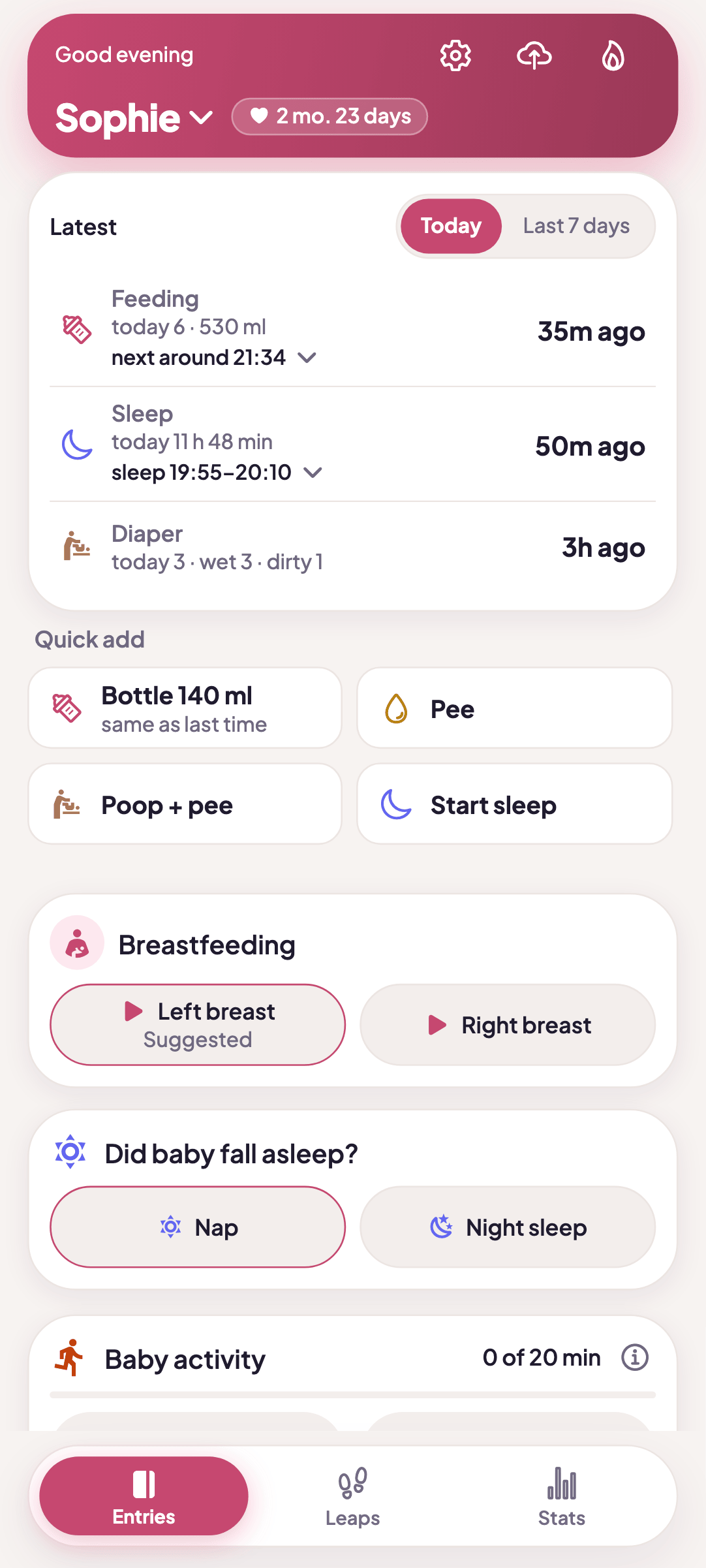
MaluchTracker is a feeding, sleep and diaper log you can run with one hand. The home screen shows when each last happened, and a new entry takes one tap.

  • Free app for Android
  • Your child’s data stays on your phone, with no account and no ads
  • Polish, English and Ukrainian

Optional anonymous usage statistics can be turned off in Settings.

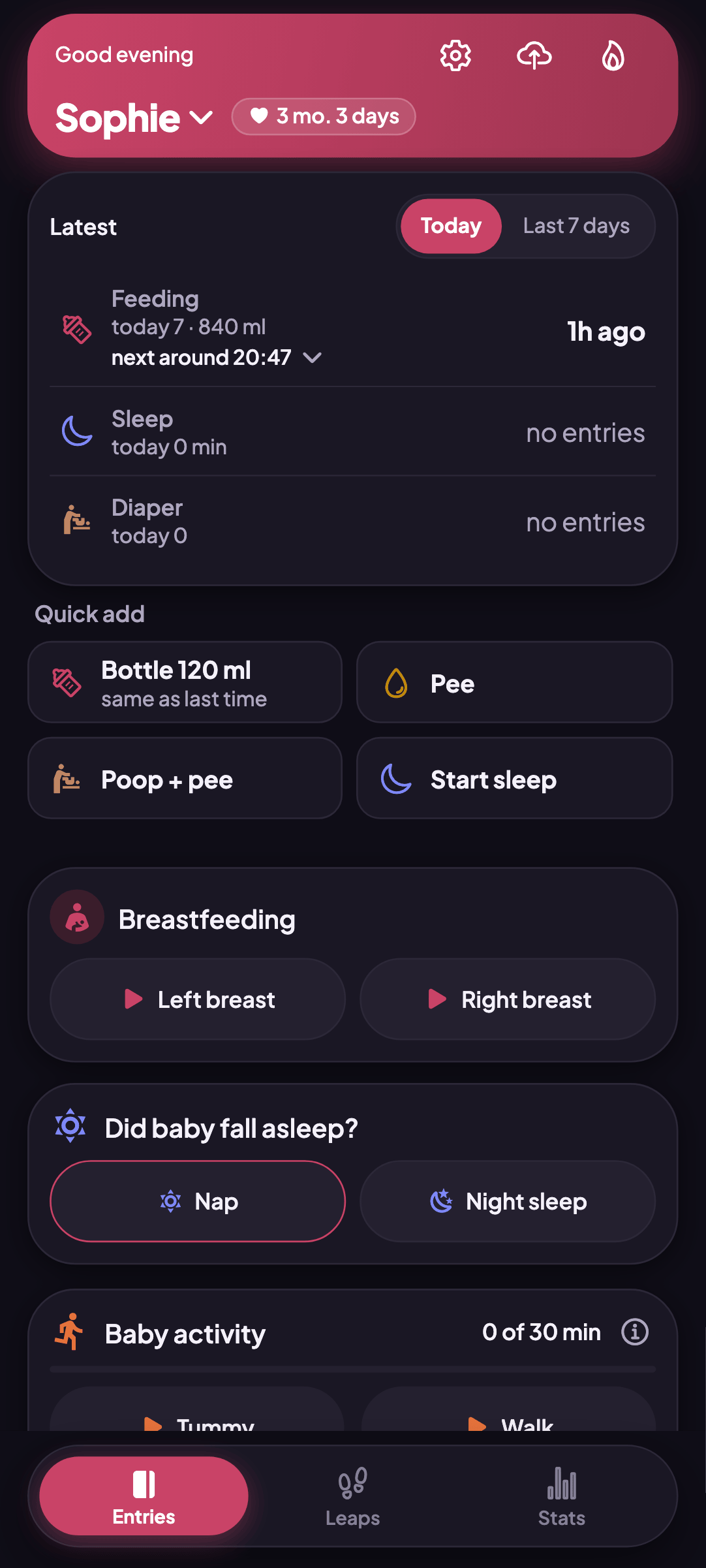
MaluchTracker home screen: the Last card with feeding, sleep and diaper, plus Quick add

Two seconds per screen, a baby on your other arm.

Quick add, a choice of what to log, a calm home screen and several children in one app.

One tap instead of a form

Log a bottle, a diaper or the start of sleep straight from the home screen. Right after saving, a bar with Undo and Edit appears, so a mistake costs one second.

  • The bottle button remembers the last amount
  • Hold the bottle button to pick a different amount
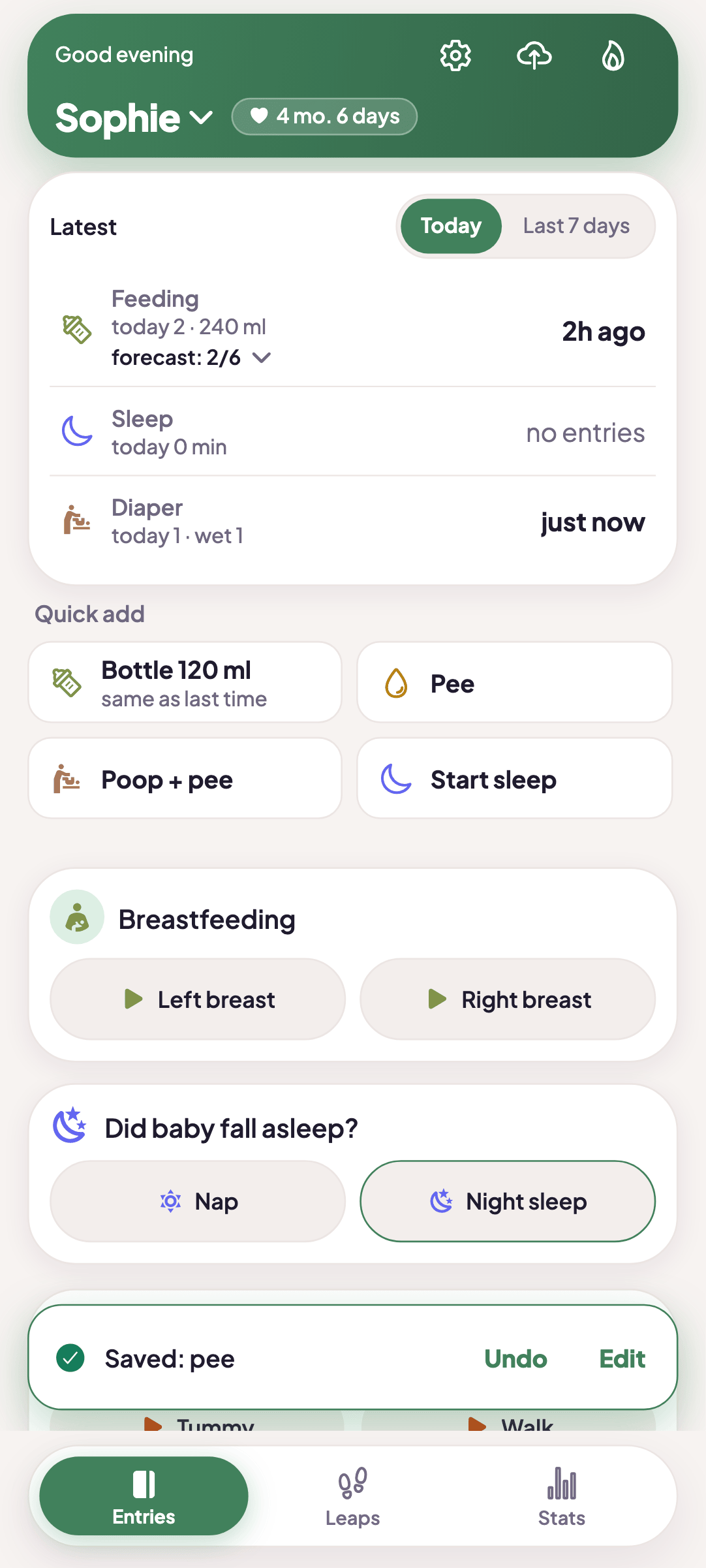
Quick add buttons for bottle, wet diaper, poop and start sleep, with a Saved bar offering Undo and Edit

You choose what to log

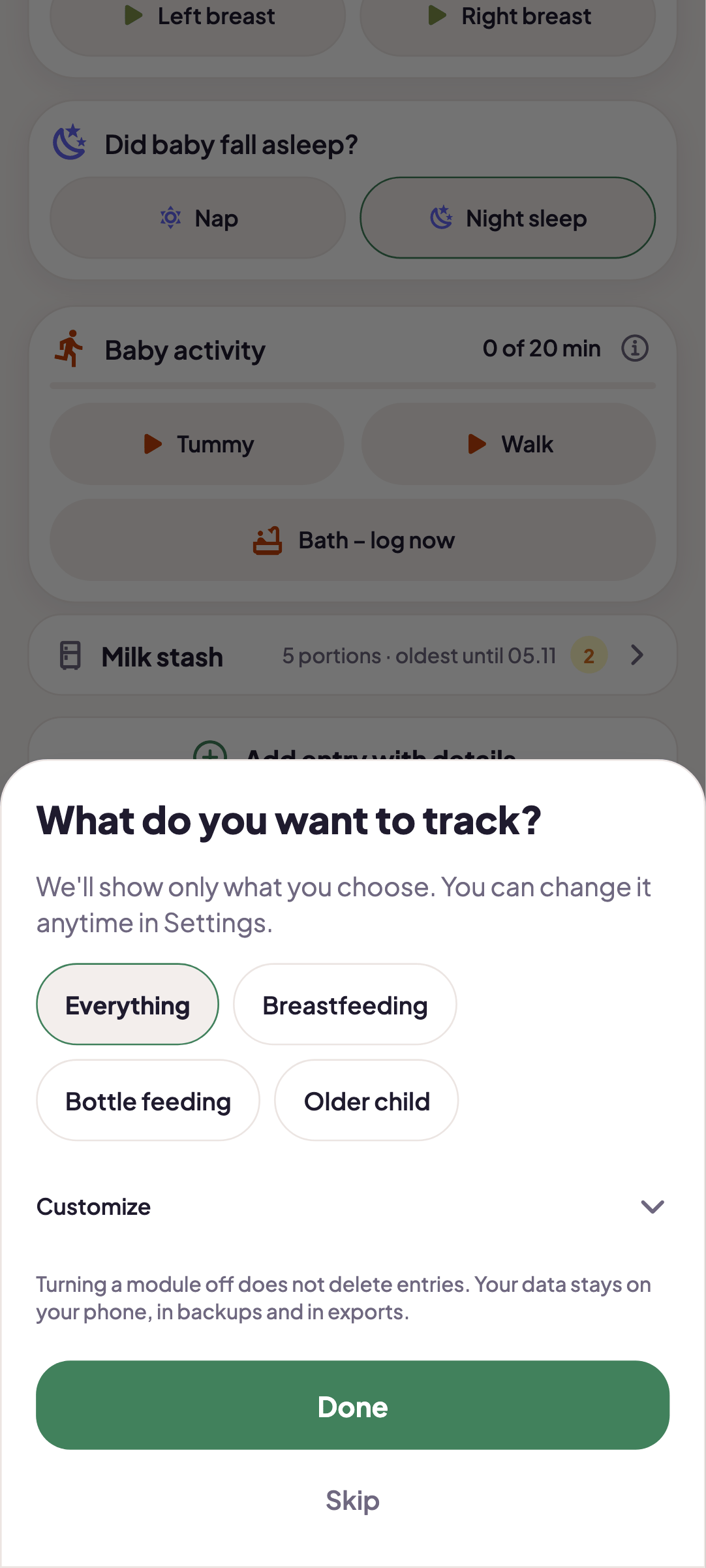
The “What do you want to track?” setup asks what you use: breastfeeding, bottle, pumping, solids, water, sleep. Everything else disappears from the screens. You set it per child, and turning a module off does not delete entries.

  • Presets: Everything, Breastfeeding, Bottle feeding, Older child
  • Change it later in Settings, under “What do you track?”
The What do you want to track screen with presets: Everything, Breastfeeding, Bottle feeding, Older baby

A calm home screen

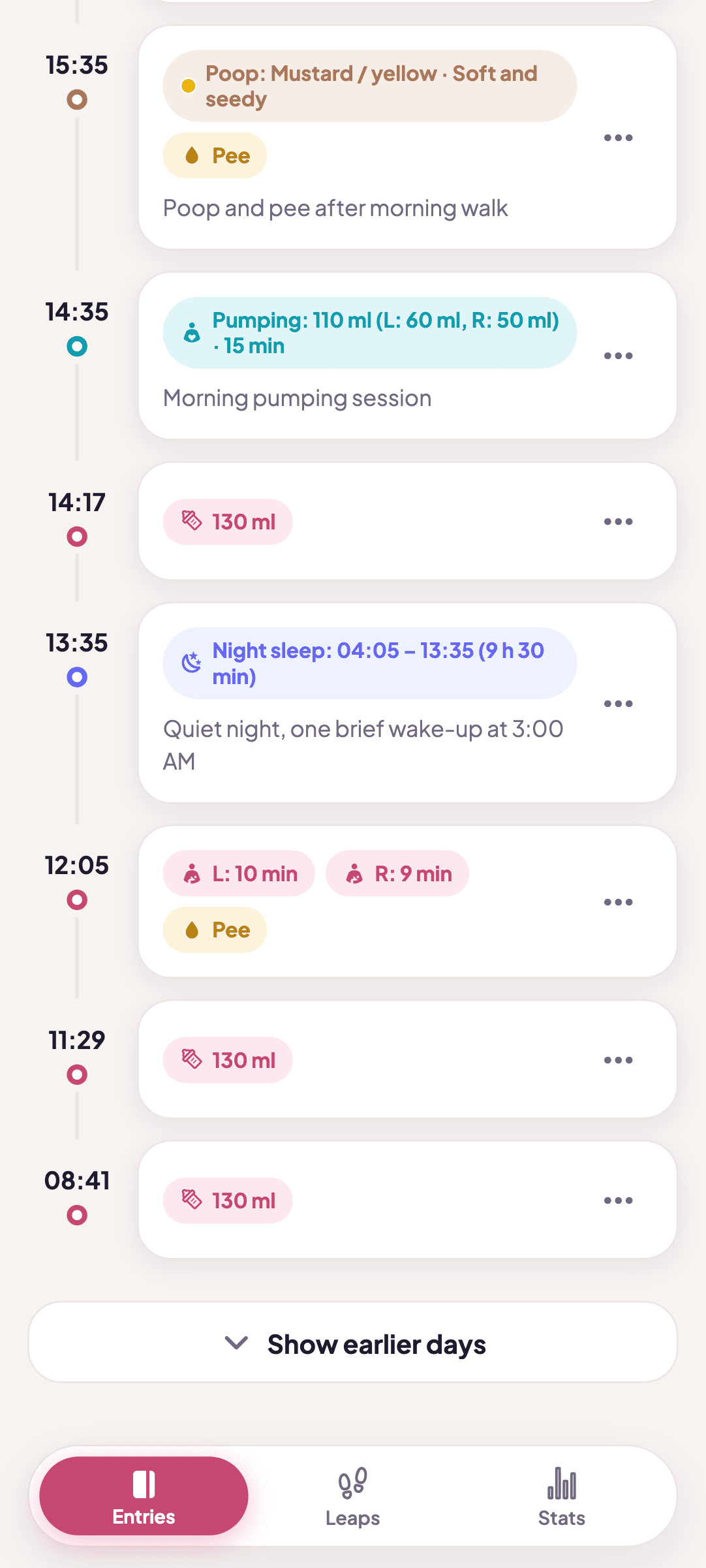
The “Latest” card shows three things: feeding, sleep and diaper, each with the time since the last entry. Today is right there, and earlier days unfold when you need them. The ⋯ menu on an entry lets you edit or delete it, and after deleting you get Undo.

  • Text scales with your phone’s font size setting
  • Dark theme for night feeds
Today's entry timeline with a ⋯ menu on every entry and a Show earlier days button

Several children in one app

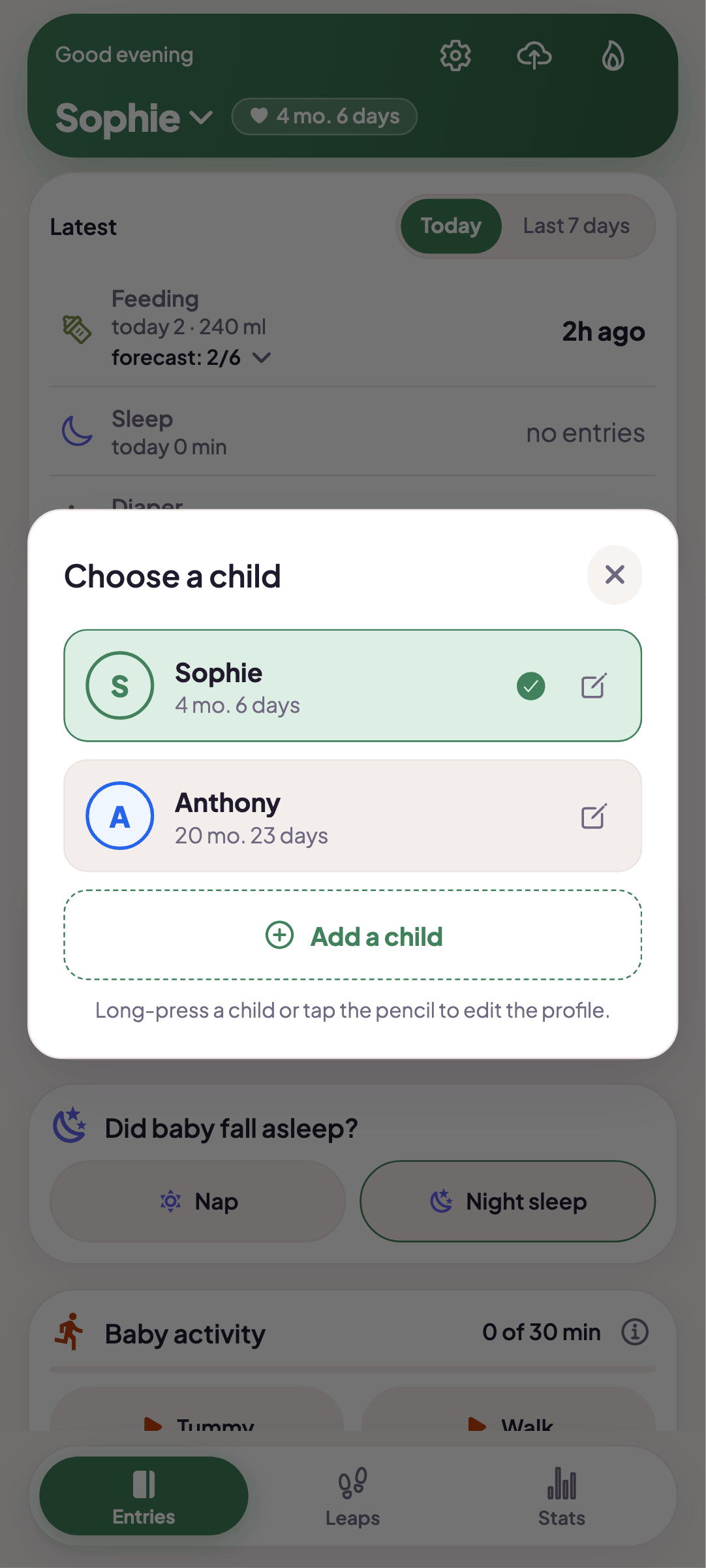
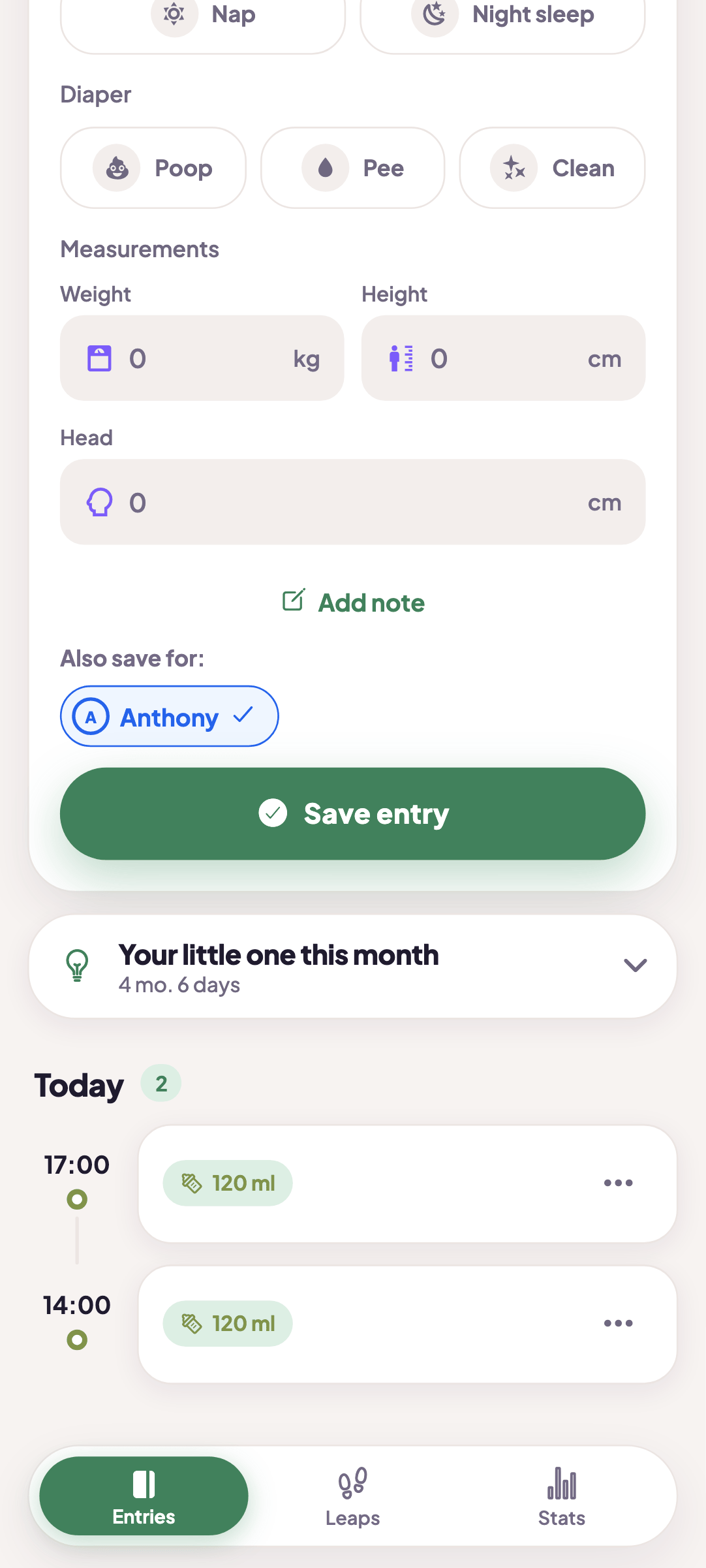
Switch children in the greeting bar. Each has their own profile and settings. With twins, you tick in the entry form who else the same entry should be saved for.

  • Child switcher on the home screen
  • “Also save for” option in the entry form
Choose child sheet listing children with an Add child button

What else is inside

WHO charts
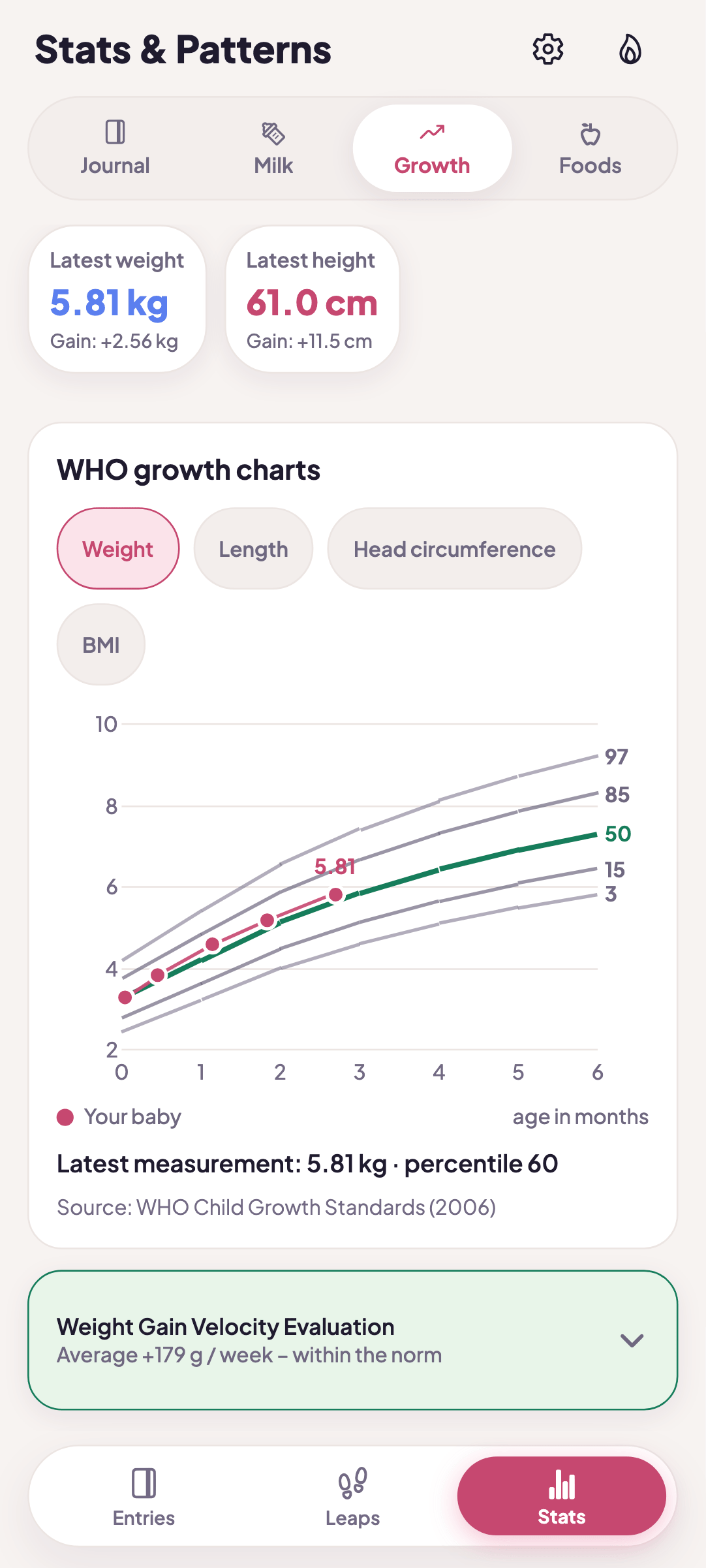
Plot weight, length and head circumference on WHO percentile charts and follow the measurements over time.
Stats in rows
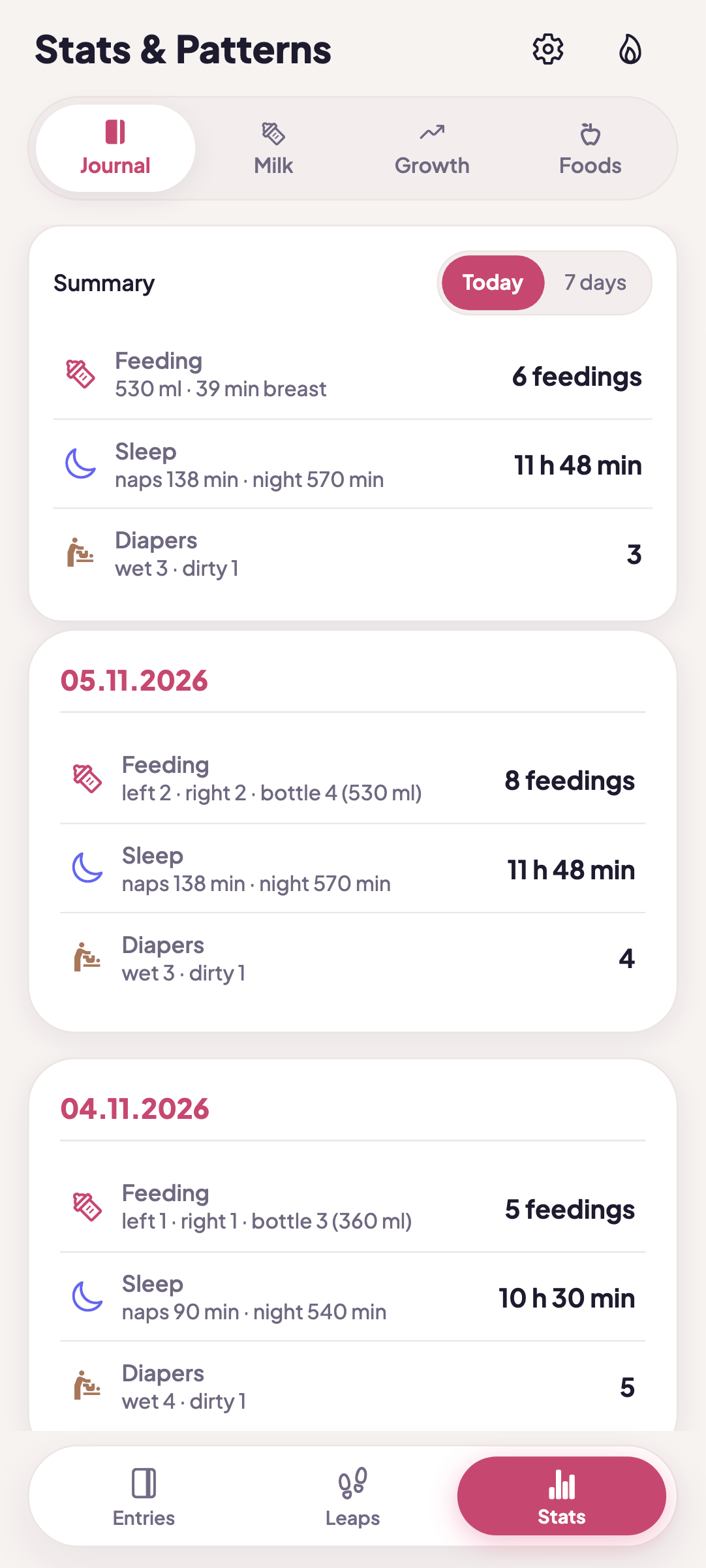
Journal, Milk, Growth. Feeds, sleep and diapers day by day, in rows.
Milk stash
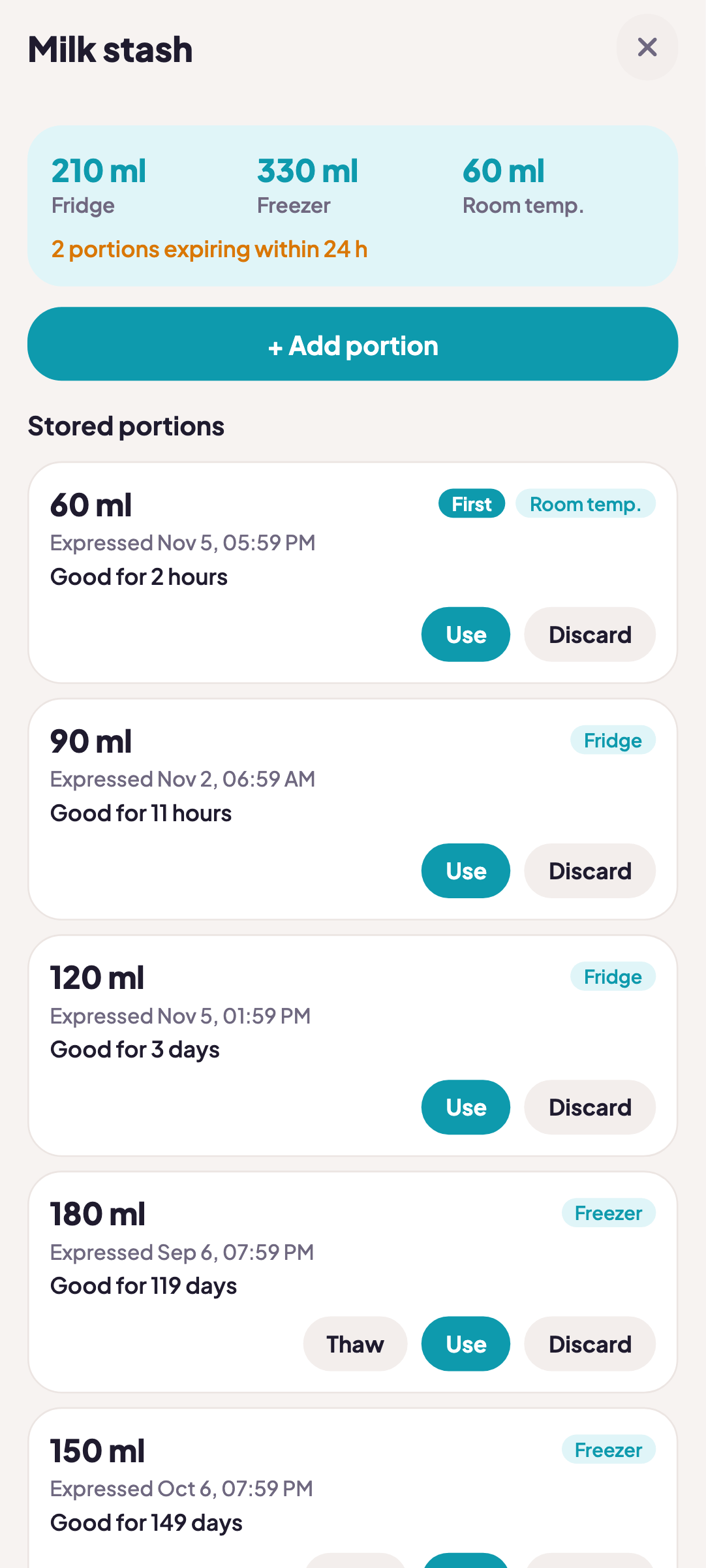
Pumped portions with storage place and expiry. One tap to use a portion.
Starting solids
Solid meals and the First 100 Foods checklist.
Palettes and dark theme
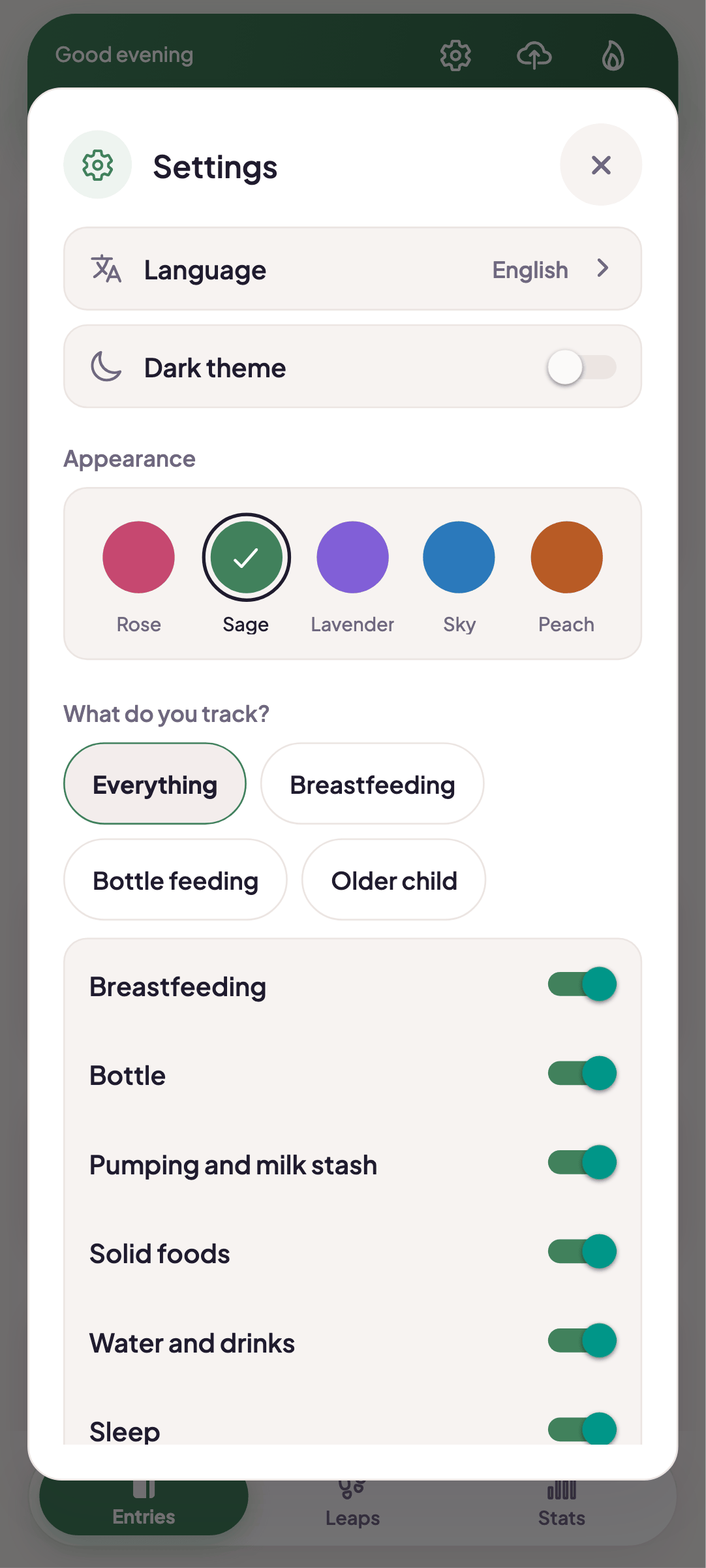
Five color palettes and a dark theme.
Three languages
Polish, English and Ukrainian. Change the language in Settings.
Backup and export
Make a backup and export to CSV whenever you want.

Real screens

Screenshots from the app with sample data. Scroll sideways to see them all.

  • MaluchTracker home screen: the Last card with feeding, sleep and diaper, plus Quick add

    Home

  • Quick add buttons for bottle, wet diaper, poop and start sleep, with a Saved bar offering Undo and Edit

    Quick add

  • Today's entry timeline with a ⋯ menu on every entry and a Show earlier days button

    Entry timeline

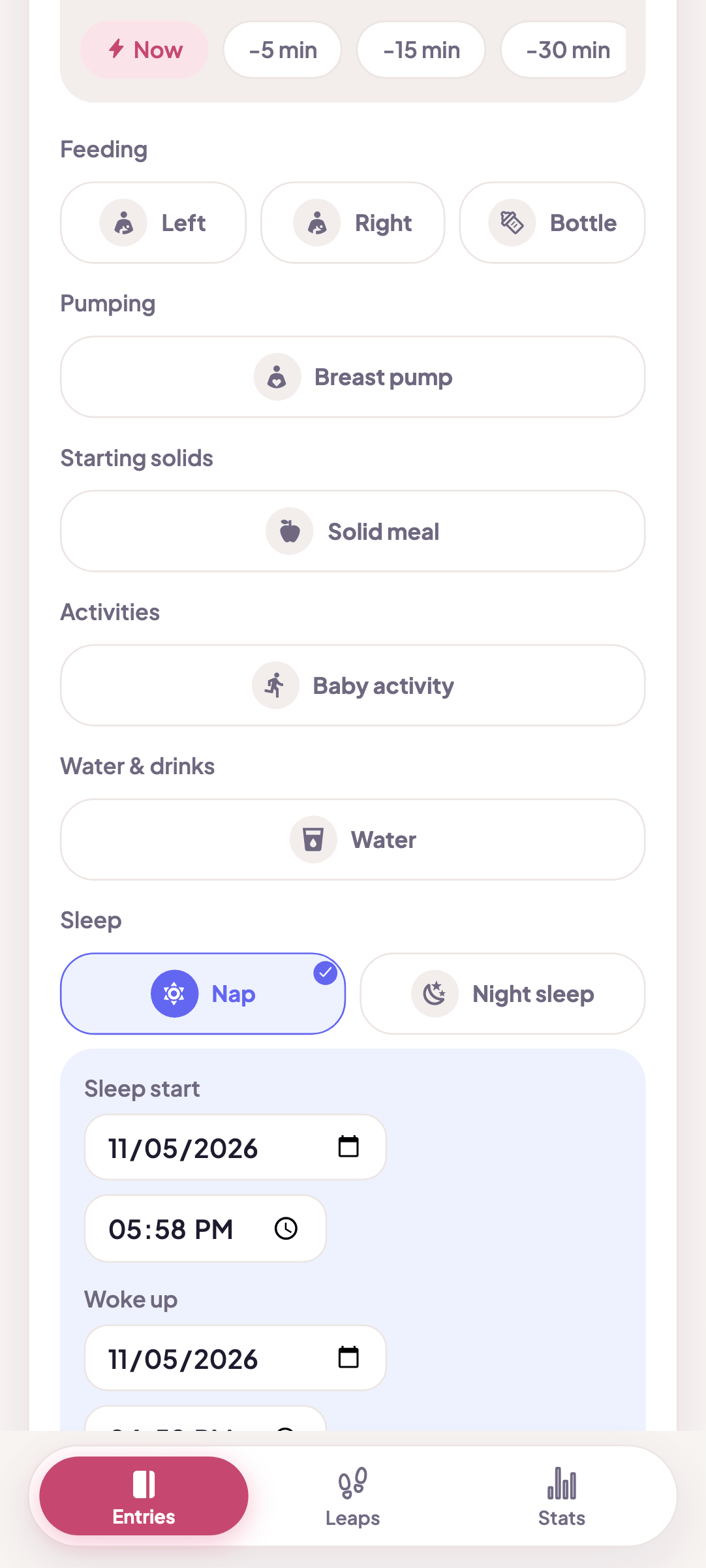
  • New entry form with entry type, date and time

    Entry form

  • The What do you want to track screen with presets: Everything, Breastfeeding, Bottle feeding, Older baby

    What do you want to track?

  • Choose child sheet listing children with an Add child button

    Multiple children

  • Entry form with the Also save for option for a second child

    Twin mode

  • Milk stash: portions with amount, storage place and expiry

    Milk stash

  • Stats, Daily tab: feedings, sleep and diapers day by day in rows

    Stats: Daily log

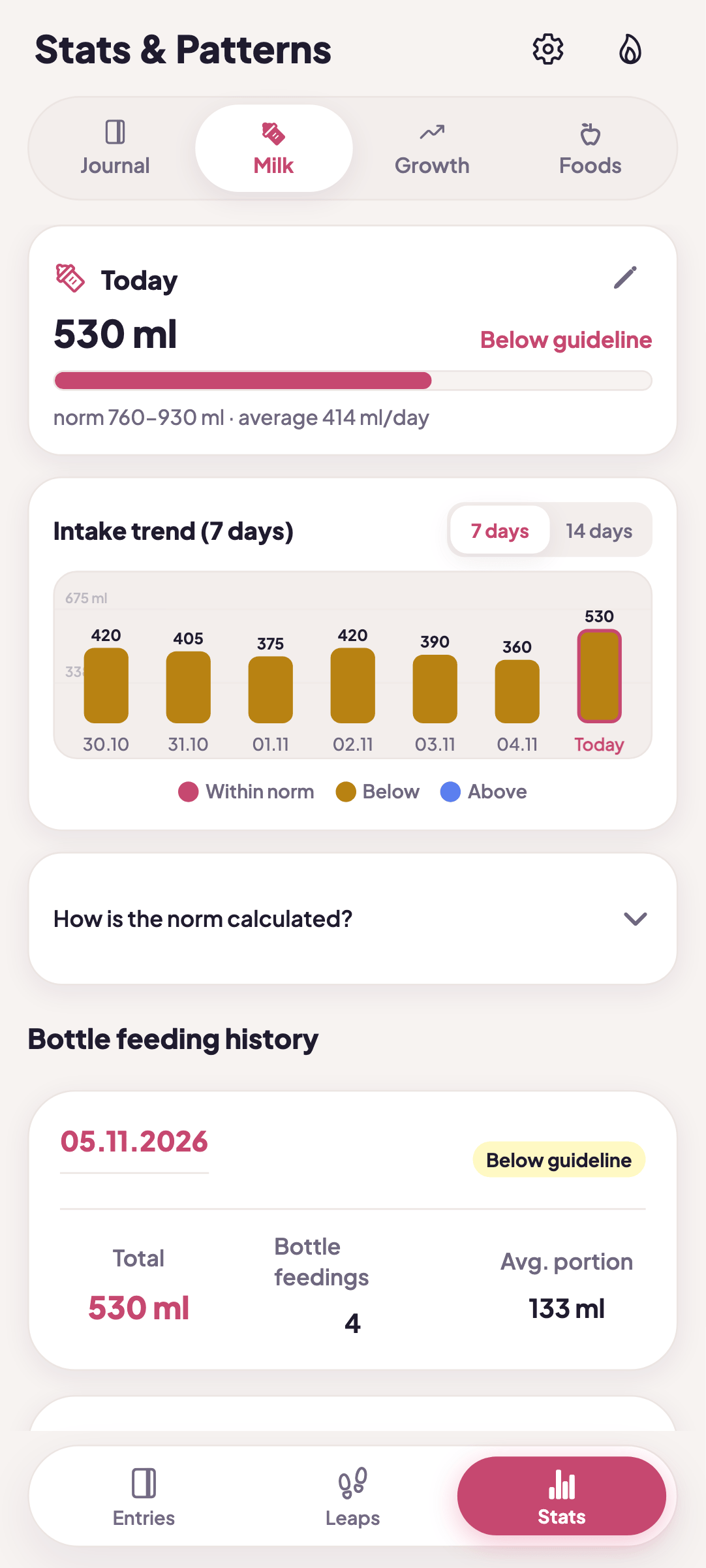
  • Stats, Milk tab: intake chart for the last 7 days

    Stats: Milk

  • Stats, Growth tab: weight plotted on a WHO percentile chart

    Growth and weight

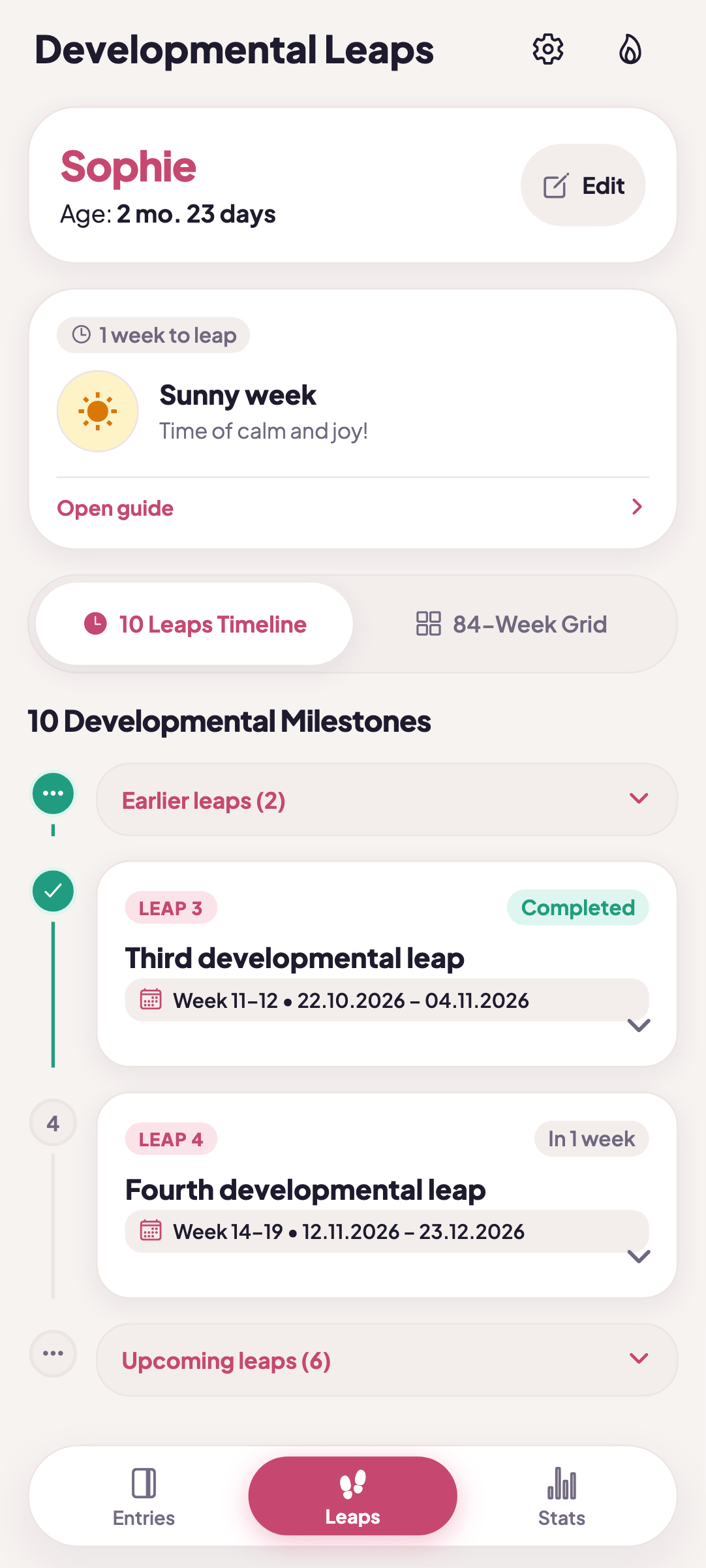
  • Leaps screen: timeline of 10 leaps with the current week marked

    Developmental leaps

  • Settings: color palette picker and the What do you track section with module switches

    Palettes and settings

  • Home screen in dark theme

    Dark theme

84 weeks, each with a description.

The app counts weeks from the due date and shows a timeline of 10 leaps: which are behind you, which is next and how many weeks away it is.

The 84-week grid covers the whole period, and the guide describes what your baby may be doing then and how you can help.

It is a rough guide. Every child develops at their own pace, and the app does not replace a doctor.

Leaps screen: timeline of 10 leaps with the current week marked

Your first entry takes a few seconds.

Install MaluchTracker, choose what you want to track and log the first feed.

Get it on Google Play

The app is free to download. Your child’s data stays on your phone, with no account and no ads. Optional anonymous statistics can be turned off.

Common questions

Answers about price, data, what you track, multiple children and developmental leaps.

Don’t see your question?
Write to us: [email protected]

How much does the app cost?

You can download the app for free from Google Play. There are no ads in it.

Is there an iPhone version?

No. The app is available for Android on Google Play. If you have an iPhone and would like MaluchTracker on it, write to us. Those messages help us decide what comes next.

Where is my data?

Your child’s data stays on your phone. There is no account and there are no ads, and you make backups and CSV exports yourself. The app can send anonymous usage statistics (Google Firebase Analytics), but only after you agree. They contain no data about your child, and you can withdraw consent in Settings.

Can I hide what I don’t use?

Yes. In the “What do you want to track?” setup you choose modules such as breastfeeding, bottle, pumping, solids, water and sleep. It is set per child. A module you turn off disappears from the screens, but saved entries stay.

What if I log something by mistake?

After a quick add, a bar with Undo and Edit appears. An older entry can be edited or deleted from the ⋯ menu on the entry, and after deleting you get Undo as well.

Does it support more than one child?

Yes. Switch children in the greeting bar. With twins, tick in the form who else the same entry should be saved for.

How does the developmental leaps calendar work?

The calendar counts weeks from the due date and shows on a timeline which leaps are behind you and which is next. Each week has a short note from the guide. It is a rough guide, because every child develops at their own pace.

Is there a dark theme and can I change colors?

Yes. The app has a dark theme and five color palettes. Both are in Settings.

Does the app assess my baby’s health?

No. MaluchTracker is a log, for information only, and does not replace medical advice. WHO charts and the leaps calendar are a rough guide, not an assessment. If you notice worrying symptoms, contact your pediatrician.